$349.00Original price was: $349.00.$299.00Current price is: $299.00.
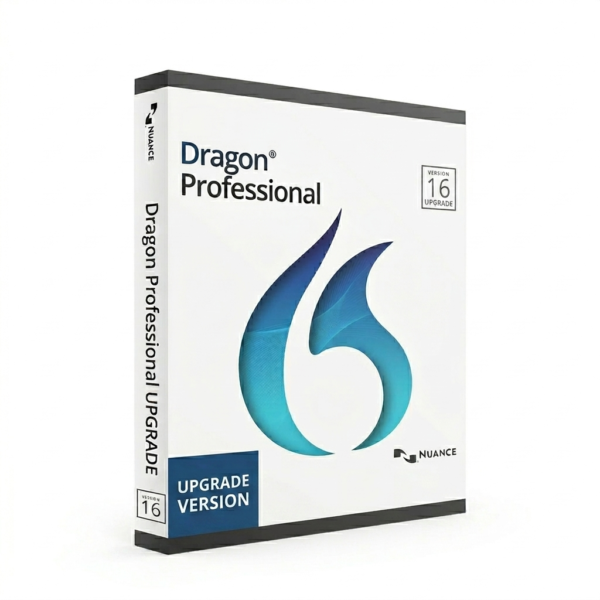
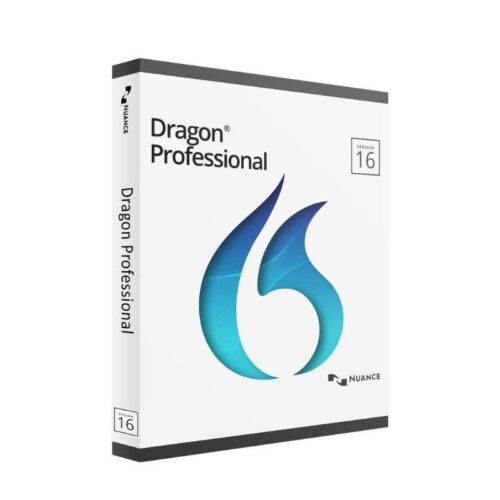
Dragon Professional Upgrade enables existing users of Dragon Professional v15 to upgrade to the latest v16 version, delivering improved accuracy, enhanced performance, and smarter voice-driven productivity. This upgrade uses advanced Dragon NaturallySpeaking technology to convert speech to text up to 3x faster than typing, with even better recognition and responsiveness.
Designed for business professionals, Dragon Professional v16 introduces upgraded voice commands, improved compatibility with modern applications, and optimized performance—making it an essential upgrade for maximizing efficiency and workflow automation.
Key Features:
Upgrade from v15 to v16 – Unlock the latest features and enhancements
Higher Accuracy – Up to 99% accuracy with improved speech recognition
Faster Performance – Quicker dictation and reduced lag
Custom Voice Commands – Automate repetitive tasks with ease
Wide Compatibility – Works seamlessly with Microsoft Word, Outlook, and browsers
Secure & Offline Ready – Maintain privacy with local processing and data control
Dragon Professional Upgrade V16 | Upgrade Your Dictation Software for Better Speed, Accuracy & Productivity
In a fast-paced professional environment, outdated tools can slow down your workflow and reduce efficiency. Dragon Professional Upgrade (v15 to v16) is designed to help users unlock the full potential of modern speech recognition with improved accuracy, faster processing, and smarter voice commands. The latest version builds on proven Dragon technology to deliver a smoother, more reliable dictation experience for business professionals.
What is Dragon Professional Upgrade?
Dragon Professional Upgrade allows existing users of Dragon Professional v15 to transition to the latest v16 version without purchasing a full license. It provides access to updated speech recognition models, enhanced performance, and better compatibility with modern operating systems and applications.
Whether you’re creating reports, writing emails, or managing documentation, upgrading ensures you stay productive with the latest advancements in voice technology.
Why Upgrade to Dragon Professional v16?
Older versions of Dragon Professional are powerful—but v16 takes performance and usability to the next level.
Key Benefits of Upgrading:
Improved Accuracy Enhanced AI-driven speech engine delivers more precise transcription with fewer corrections.
Faster Dictation & Response Time Experience smoother, near real-time dictation with reduced lag.
Optimized for Modern Systems Fully compatible with the latest Windows versions and updated Microsoft Office apps.
Better Stability & Performance Improved handling of large documents and multitasking environments.
Enhanced Security & Reliability Keeps your data safe with local processing and updated system standards.
What’s New in Dragon Professional v16?
1. Advanced Speech Recognition Engine
Dragon v16 introduces refined algorithms that better understand accents, speech patterns, and complex phrases.
2. Smarter Voice Commands
Automate repetitive tasks such as formatting text, navigating applications, and inserting templates with greater accuracy.
3. Improved User Experience
A more responsive and intuitive interface ensures a seamless workflow for both new and experienced users.
4. Better Application Integration
Works smoothly with Microsoft Word, Outlook, web browsers, and other commonly used business tools.
5. Performance Enhancements
Optimized to run efficiently on modern hardware, reducing system strain and improving overall speed.
Who Should Upgrade?
This upgrade is ideal for:
Existing Dragon Professional v15 users
Business professionals handling heavy documentation
Writers, consultants, and analysts
Teams looking to improve productivity through voice automation
If you rely on dictation daily, upgrading to v16 will significantly enhance your workflow.
Dragon Professional v16 vs v15
Feature
Dragon Professional v16
Dragon Professional v15
Accuracy
✔ Enhanced AI accuracy
✖ Standard accuracy
Speed
✔ Faster & smoother
✖ Slower
Compatibility
✔ Latest systems supported
✖ Limited support
Voice Commands
✔ More advanced
✖ Basic
Performance
✔ Optimized
✖ Less efficient
Real-World Use Case
A business consultant preparing daily reports and client documentation can save hours each week using Dragon Professional v16. By dictating instead of typing, they can produce content faster, reduce fatigue, and focus more on strategic tasks rather than manual input.
How to Upgrade from v15 to v16
Upgrading is quick and straightforward:
Purchase the Dragon Professional Upgrade license
Download the latest v16 software
Install and activate using your license key
Import your existing user profile and custom vocabulary
This ensures a smooth transition without losing your personalized settings.
Frequently Asked Questions
What is Dragon Professional Upgrade?
It is a version upgrade that allows users of v15 to access the latest v16 features and improvements.
Do I need to uninstall the old version?
In most cases, yes. Installing v16 ensures optimal performance and compatibility.
Will I lose my custom vocabulary?
No, your profile and vocabulary can usually be transferred during the upgrade process.
Is upgrading worth it?
Yes. The improvements in speed, accuracy, and usability make it a valuable upgrade for any professional user.
Final Thoughts
Dragon Professional Upgrade (v15 to v16) is a smart investment for anyone looking to improve productivity, reduce manual typing, and leverage the latest in speech recognition technology. With enhanced accuracy, faster performance, and better compatibility, it ensures your workflow remains efficient and future-ready.
Reviews
There are no reviews yet.
Be the first to review “Dragon Professional Individual 16 -Upgrade”Cancel Reply
Reviews
There are no reviews yet.